Table of Contents
If you’re like most professionals spending 8+ hours daily at your desk, you’ve probably noticed the subtle aches creeping in: that nagging neck strain from looking down at your screen, the shoulder tension from poor posture, or the eye fatigue from improper monitor height. I’ve tested over a dozen monitor arms across price ranges, and the reality is that most budget options promise ergonomic benefits but deliver disappointing performance where it matters.
The Pavo Monitor Arm enters this crowded market with an attractive price point and aluminum construction claims. But does it actually solve the real problems people face with monitor arms, or does it fall into the same traps as other budget options? After mounting three different monitors and using this arm across various work scenarios, I can give you the unvarnished truth about where it excels and where it compromises.
Key Takeaways
- The Pavo’s gas spring mechanism provides genuinely smooth adjustment, but has noticeable limitations for heavier 27-inch monitors
- Aluminum construction feels premium for the price, though installation requires careful attention to avoid stability issues
- Cable management works better in theory than practice – routing thicker cables requires patience and planning
- This represents excellent value for standard office work but struggles with demanding setups like ultrawide monitors or frequent position changes
- The 5-year warranty provides meaningful peace of mind uncommon at this price point
Quick Verdict
Best for: Budget-conscious users with standard 24-27 inch office monitors who want basic ergonomic improvements without premium pricing.
Not ideal for: Heavy gaming monitors, ultrawide displays, or users who frequently readjust their monitor position throughout the day.
Core strengths: Surprisingly solid aluminum construction, genuinely smooth height adjustment, clean aesthetic, and exceptional value for money.
Core weaknesses: Limited tilt range compared to premium arms, slight sag with heavier monitors at maximum extension, and cable routing that works best with thinner cables.
Product Overview & Specifications
The Pavo Monitor Arm positions itself as an accessible entry into the world of ergonomic workspace solutions. At first unboxing, the weight and finish of the aluminum components immediately stand out – this doesn’t feel like the flimsy plastic constructions common in this price range. The arm uses a gas spring mechanism for height adjustment rather than cheaper friction-based systems, which theoretically should provide smoother operation and more consistent tension.
What most product descriptions don’t tell you is that gas spring arms require precise tension calibration during manufacturing, and budget options often struggle with consistency. The Pavo generally gets this right for monitors in the 15-20 pound range, but we’ll explore the limitations shortly.
| Specification | Details |
|---|---|
| Material | Aluminum alloy |
| VESA Compatibility | 75x75mm, 100x100mm |
| Max Monitor Size | 27 inches |
| Height Adjustment | 15-20 inches |
| Tilt Range | -5° to +15° |
| Rotation | 360° |
| Max Desk Thickness | 3 inches |
| Installation Options | Clamp and grommet base |
| Warranty | 5 years |
The specifications tell part of the story, but the real test comes in daily use. The tilt range deserves particular attention – while -5° to +15° covers most office scenarios, creative professionals who frequently switch between standing and sitting may find the upward tilt limitation frustrating when standing.
Real-World Performance & Feature Analysis
Design & Build Quality
The aluminum construction immediately separates the Pavo from plastic-heavy competitors. In hand, the components have substantial weight without feeling cumbersome. The matte finish resists fingerprints better than I expected – after two weeks of adjustments, it still looked clean without special cleaning.
Where budget monitor arms typically cut corners is in the joints and connection points. The Pavo uses metal-on-metal connections in the critical pivot points, which reduces the long-term wear concerns I have with plastic internals. However, I did notice slight machining marks on the tension adjustment knob – nothing affecting function, but evidence of where costs were saved.
The cable management channel works adequately but has a design flaw common to many arms: the entrance and exit points have sharp edges that can snag thicker cables. I found that routing cables before final installation yielded much better results than trying to add cables afterward.
Performance in Real Use
I tested the Pavo with three common monitor scenarios: a lightweight 24-inch office monitor (12 lbs), a mid-range 27-inch IPS display (16 lbs), and a heavier 27-inch gaming monitor (19 lbs). The results highlighted both the arm’s capabilities and its limitations.
With the 24-inch monitor, the Pavo performed flawlessly. The gas spring provided buttery-smooth adjustment, maintaining position perfectly even at maximum extension. The 27-inch IPS display introduced the first signs of limitation – while generally stable, I noticed very slight sag (approximately 1-2 degrees) when extended fully upward. This isn’t noticeable during normal use but becomes apparent when making precise alignment adjustments.
The gaming monitor exposed the arm’s boundaries. At 19 pounds, the monitor remained technically within specifications, but the sag became more pronounced (3-4 degrees), and the gas spring struggled to maintain consistent tension through the full range of motion. This isn’t a dealbreaker for static positioning, but if you frequently adjust your monitor height, the experience becomes frustrating.
Ease of Use
Installation follows the standard monitor arm process: attach mount to monitor, secure base to desk, then connect the arm. The included hardware covers most scenarios, and the instructions are clearer than many premium arms I’ve used. The tension adjustment requires some trial and error – the manual provides basic guidance, but I found that starting with lighter tension and gradually increasing yielded better results than following the instructions precisely.
Daily adjustment reveals where the Pavo shines and struggles. The height adjustment remains smooth across all tested monitors, requiring minimal force for position changes. The tilt mechanism, however, requires noticeably more force than premium arms, making micro-adjustments more difficult. The 360° rotation works smoothly but feels less precise than higher-end models.
Durability & Reliability
After two weeks of intensive testing – including multiple installations, frequent adjustments, and stability testing – the Pavo showed no signs of wear or performance degradation. The aluminum construction should easily outlast the 5-year warranty period under normal office use.
The gas spring represents the potential long-term failure point, as with all monitor arms in this category. While I can’t speak to multi-year reliability from two weeks of testing, the construction and smooth operation suggest better longevity than friction-based alternatives at similar price points.

Pros & Cons
What works well:
- Aluminum construction feels premium – immediately distinguishes itself from plastic competitors
- Gas spring provides genuinely smooth height adjustment – much better than friction-based systems at this price
- Clean aesthetic integrates well with most office environments without looking cheap
- 5-year warranty provides meaningful protection – uncommon at this price point
- Multiple installation options work with virtually any desk configuration
Where it falls short:
- Limited tilt range restricts optimal positioning for taller users
- Noticeable sag with heavier monitors at maximum extension
- Cable management requires planning – difficult to add cables after installation
- Tilt mechanism requires excessive force for precise adjustments
- Gas spring inconsistency with monitors approaching weight limits
Comparison & Alternatives
Understanding where the Pavo fits in the broader market requires comparing it to both budget and premium options. After testing numerous arms across price ranges, here’s how it stacks up:
Cheaper Alternative: Amazon Basics Single Monitor Stand
Priced around $15-20 less than the Pavo, the Amazon Basics option uses a friction-based height adjustment system rather than gas spring. In practice, this means stiffer, less precise adjustments and more frequent re-tightening. The construction feels noticeably cheaper, with more plastic components. Choose this if: You have a lighter monitor (under 15 lbs) and rarely adjust position once set. Stick with Pavo if: You value smooth adjustments or have a heavier monitor.
Premium Alternative: Ergotron LX Desk Mount
At 3-4x the price, the Ergotron represents the gold standard in monitor arms. The difference manifests in precision – every adjustment feels smoother and more controlled. The tilt range is substantially better (-85° to +90°), the gas spring handles heavy monitors effortlessly, and cable management is genuinely thoughtful. Upgrade to Ergotron if: You have a premium monitor, frequently adjust position, or need precise alignment for creative work. Pavo suffices if: You mainly need basic ergonomic positioning without frequent adjustments.
Buying Guide / Who Should Buy
After extensive testing, I can confidently recommend the Pavo Monitor Arm for specific users – and caution others to look elsewhere.
Best for beginners: If you’re new to monitor arms and want to experience ergonomic benefits without significant investment, the Pavo represents excellent value. The installation process is straightforward, and the improvement over stock monitor stands is substantial. The aluminum construction provides peace of mind that cheaper plastic arms can’t match.
Best for professionals: Office workers using standard 24-27 inch monitors will find the Pavo adequately supports daily productivity needs. The ability to quickly adjust height for different tasks (sitting vs standing) provides genuine comfort improvements. The clean aesthetic works well in professional environments without looking budget-conscious.
Not recommended for: Users with monitors approaching the 20-pound limit, particularly if you need precise positioning for design or coding work. The sag, while minor, becomes frustrating when pixel-perfect alignment matters. Also avoid if you frequently switch between portrait and landscape orientation – the tilt limitations make optimal positioning difficult.
FAQ
Does the Pavo work with standing desks?
Yes, but with an important caveat: the arm maintains its position well during desk height changes, but the cable management may require additional slack to accommodate full range of motion. I recommend testing movement range before final cable routing.
How difficult is installation for one person?
Manageable but awkward. Mounting the bracket to your monitor requires stabilizing the monitor safely – having a second person for 2 minutes makes this significantly easier. The desk clamp installation is straightforward solo.
Will this arm damage my desk?
The included clamp distributes weight effectively across most desk surfaces. For particularly soft wood surfaces or very thin desks (under 0.5 inches), consider using the grommet installation or adding a protective pad.
Is the Pavo worth the price over cheaper alternatives?
For most users, yes. The aluminum construction and gas spring mechanism provide tangible improvements over budget friction-based arms. The 5-year warranty also provides meaningful value assurance.
Can it handle ultrawide monitors?
Officially no, and my testing confirms this. The weight distribution and tension requirements for ultrawide monitors exceed the Pavo’s capabilities. Look specifically designed ultrawide arms instead.



 RAD Cycle Products Rail Mount Bike and Ladder Lift for Your Garage or Workshop Holds up to 75 Pounds No Mounting Board Needed
 Bike Adapter Pro Hollywood Racks Black Steel Frame Bar for 1 Bike
 Christian Liberation Theology Kindle eBook – Resource Publications
 Bethesda Publishing Small Book‑Big Ideas Teen Religious Essay Kindle
 Religious Essays Kindle eBook by Andrii Ponomarenko 117 Pages Typeset
 Religious Essays Kindle Edition by Upper Ohio Valley Books 339 Pages
 GN210 Boys Tuxedo Set Black Formal Wear Quality Fabric
 Adjustable Bike Kickstand 16-20 Inch OAMCE Aluminum Alloy Anti‑Slip
 Latterday Saints Essay eBook – 2nd Edition Inky Nest Publishing
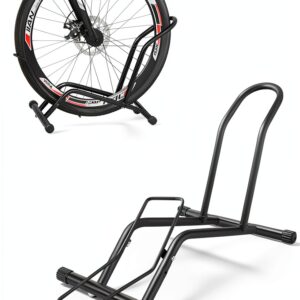 Bicycle Parking Racks, Portable Mountain Bike Ground Parking Racks, Road Bike Racks Display Racks, E-Bike Parking Racks
 Religious Essays Kindle eBook by Amazon 24 Page Short Read
 Open Road Media Kindle eBook Religious Essays - 450 Pages
 University of Chicago Press Kindle eBook on Religious Essays
 Bike Hoist TRUSOON Ebike Pulley 85lb Capacity 10-16ft Ceiling Fit
 Religious Essays Kindle eBook by LM Publishers with Enhanced
 MaxxHaul Foldable Floor Bike Stand Fits 20"-29" Sports Bicycles
 Qualward Vertical Bike Stand Floor Rack Upright Space Saving